
Smartwatch apps, built for a glance
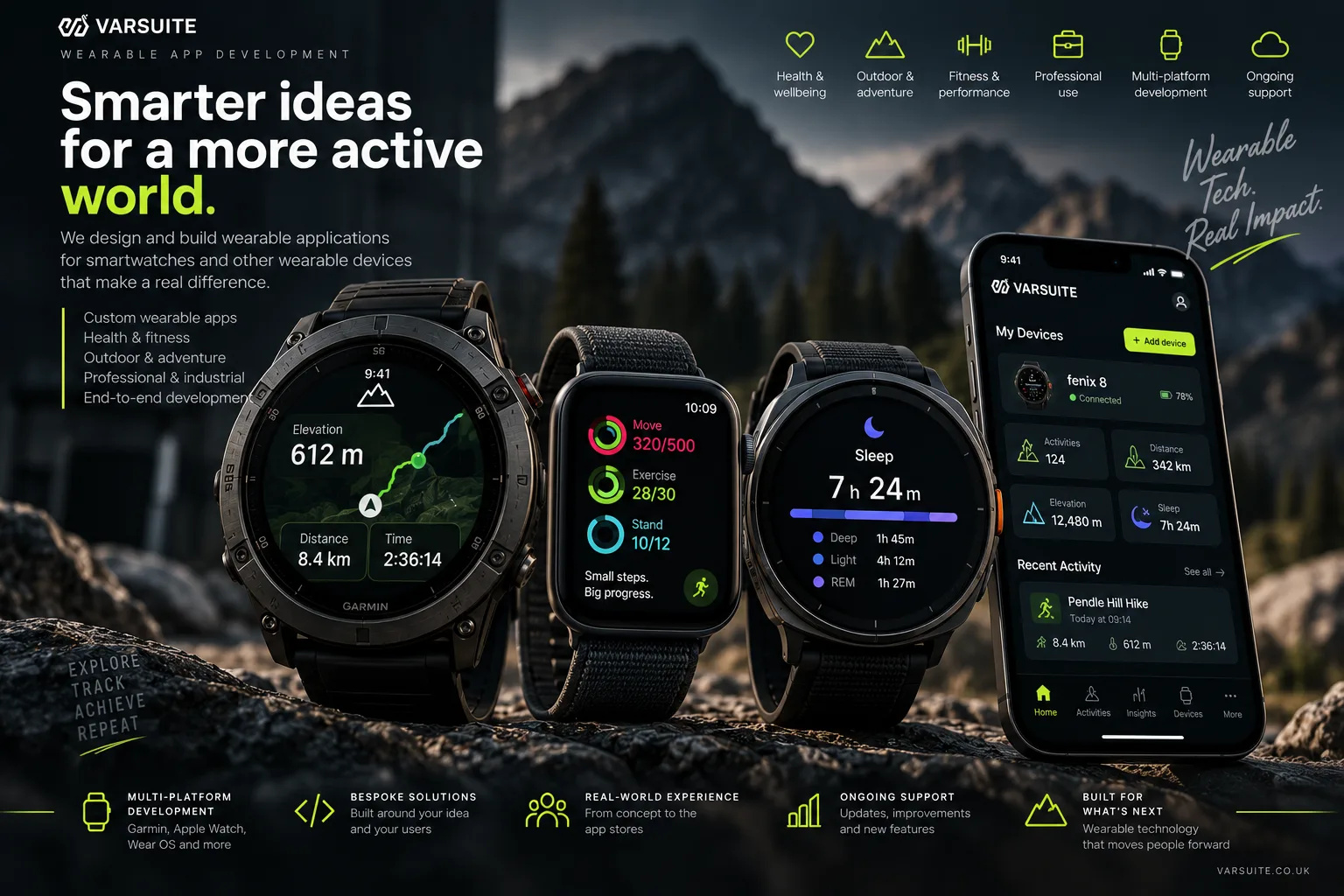
We design and build apps for Apple Watch and Wear OS, with companion phone apps and health data that is only read with the user's consent. We build you a free working demo first, so you can try it on the wrist before you commit, and it costs less than most people expect.
What we build
- Websites
- E-commerce Stores
- Software Development
- Business Systems
- Mobile App Development
- Reward & Loyalty Apps
- Competition Websites
- Garmin App Development
- Progressive Web Apps
- AI Agents
- SaaS & MVP Development
- API Development
- Business Automation
- Booking & Scheduling Systems
- Process Replacement
- Custom CRM
- Customer & Member Portals
- Data Integrations
- Marketplace Platforms
- Subscription & Membership Sites
- Code Scanning
- Security Monitoring
- Testing & QA
- SEO & AIO Automation
- Social Media Management
- AI Content & Blogging
- AI Copywriting
- Google Ads Management
- Marketing Reporting
- Management
- Insight
- Always Improving
What wearable apps does Varsuite build?
Varsuite builds apps for smartwatches, mainly Apple Watch (watchOS) and Wear OS watches, along with the phone apps that pair with them. If your customers or staff would benefit from information on their wrist rather than in their pocket, we can build it.
Typical wearable projects include:
- Fitness, training and wellbeing apps that track workouts and show progress at a glance
- Health and care apps that read heart rate, steps or sleep data with the user's permission
- Watch apps that extend an existing iPhone or Android app
- Glanceable dashboards, alerts and complications for field staff and busy teams
- Reminder, check-in and loyalty apps where a tap on the wrist beats unlocking a phone
Garmin watches and bike computers use their own Connect IQ platform, so we cover them in a dedicated Garmin app development service. If the phone app is the main product and the watch is a bonus, start with mobile app development.
Do I need an Apple Watch app, a Wear OS app, or both?
It depends on which phones your users carry: Apple Watch only pairs with iPhone, while Wear OS watches pair with Android phones, so most consumer products eventually need both. We usually recommend starting where most of your users are, then adding the second platform once the first has proved its value.
A quick guide to the main platforms:
- Apple Watch (watchOS). Built natively in Swift and SwiftUI. Pairs with iPhone, reads health data through Apple HealthKit and is distributed through the App Store.
- Wear OS. Built natively in Kotlin with Compose for Wear OS. Runs on Samsung Galaxy Watch, Google Pixel Watch and other brands, uses Health Connect and Health Services for fitness data, and is distributed through Google Play.
- Fitbit and older Samsung watches. These platforms have changed a lot in recent years. Newer Samsung and Google watches run Wear OS, so one Wear OS build usually covers them. For older devices we check what each platform supports today before recommending it.
- Garmin. A separate ecosystem with its own tools, covered by our Garmin service.
Watch apps are small by design. We build them natively for each platform because that is what gives you smooth screens, reliable workout tracking and sensible battery life.
How do you handle health and fitness data?
We only read health and fitness data after the user has explicitly given permission, and we only ask for the specific data types the app needs. On Apple Watch and iPhone that permission runs through Apple HealthKit, and on Android and Wear OS it runs through Health Connect.
Health data is special category data under UK GDPR, so it needs extra care. In practice we:
- Ask for the minimum data needed, with plain wording that explains why
- Keep as much processing on the device as possible
- Encrypt anything that leaves the device, in transit and at rest
- Make it easy for users to withdraw consent and delete their data
- Follow Apple and Google rules on how health data may be used
We will help you think through consent flows and data handling, but we are not lawyers and this is not legal advice. If your app processes health data at scale or supports clinical decisions, take specialist advice on your lawful basis, privacy notices and any medical device rules that may apply.
Can we see a working demo before we commit?
Yes. We build you a free working demo first, running on a real watch or a simulator, so you can see and tap through the idea before you commit to anything. Going from that demo to a finished app costs less than most people expect.
The demo usually covers the main screen, one or two core interactions and, where relevant, sample data of the kind the watch will show. It is the quickest way to find out whether an idea works on a small screen, because some things that sound great on paper feel clumsy on the wrist, and others turn out better than you expected.
If you like what you see, we agree a fixed quote before any paid work starts. You can see how our pricing works on our pricing page.
Does a smartwatch app need a companion phone app?
Not always, but most useful watch apps work alongside a phone app rather than on their own. The watch is best for quick glances, alerts and tracking, while the phone is better for setup, accounts, history and anything that needs typing.
How the options compare:
- Standalone watch app. Runs on the watch with its own connection. Good for simple tools, timers and workout tracking, but limited by screen size, battery and what the watch can do without a phone nearby.
- Watch app with a companion phone app. The phone handles sign in, settings and detailed charts, and syncs with the watch in the background. Better for anything with accounts, history or content to manage.
- Watch extension to an existing app. If you already have an iPhone or Android app, we add a watch app that talks to it and to your existing backend.
When the watch and phone need to share data with a server, we build or connect the backend too, usually through a clean API that your other apps can reuse.
How do you build, test and launch a wearable app?
AI agents do the heavy lifting on the build, and a UK human team based in Lancashire reviews, perfects and signs off every release. Automated tests run from day one, so each change is checked before it reaches a watch.
Before launch we test on real devices as well as simulators, because battery use, sensor readings and notifications behave differently on the wrist. Every app quote includes a penetration test and a security code review before launch, which matters even more when health data is involved. Our testing and QA service covers this in more depth.
We handle App Store and Google Play submission for you. Apple and Google set their own review times, so approval is not in our hands, but we prepare the listing, privacy details and health data declarations they ask for. After launch, ongoing monthly care keeps the app current as watchOS and Wear OS change each year. You own what we build.
Wearable & Smartwatch Apps, answered.
It depends on the platforms, the features and whether a phone app and backend are needed, so we quote each project rather than publishing a flat figure. Varsuite builds a free working demo first, then agrees a fixed quote before work starts. Most people find it costs less than they expected, and our pricing page explains how quotes work.
Yes. Varsuite builds natively for each platform, using SwiftUI for Apple Watch and Compose for Wear OS, because that gives the best performance and battery life on a small device. Many clients start with one platform and add the other once the first has proved its value.
Yes, with the user's permission. On Apple Watch the app reads data through HealthKit, and on Wear OS through Health Connect and Health Services, asking only for the data types it genuinely needs. Varsuite designs clear consent screens and treats health data as special category data under UK GDPR.
Yes. Garmin uses its own Connect IQ platform rather than watchOS or Wear OS, so we cover it in a separate Garmin app development service. If your users wear a mix of brands, we can plan the Garmin, Apple Watch and Wear OS apps together.
It can, depending on the watch and what the app does. Simple tools and workout tracking can run on the watch alone, but anything with accounts, history or settings usually works best with a companion phone app. Varsuite will recommend the right setup when we scope your project.
We can usually show you a working preview in days, and the build time after that depends on scope. Once the app is ready, Varsuite handles App Store and Google Play submission, but Apple and Google set their own review times. We prepare everything they ask for to keep the process as smooth as possible.
AI agents speed up the build, but a UK human team reviews, perfects and signs off every release, and automated tests run from day one. Every app quote includes a penetration test and a security code review before launch. Varsuite keeps health data to the minimum the app needs and encrypts it wherever it is stored or sent.
Explore related services
Garmin App Development
We build Connect IQ watch faces, data fields, glances and device apps for Garmin watches, and we have our own...
Learn moreMobile App Development
We build native and cross-platform apps for iPhone and Android, and we start with a free working demo you can...
Learn moreAPI Development
We design and build REST APIs and webhooks for mobile apps, partners and integrations, with authentication, ra...
Learn moreSaaS & MVP Development
We turn software ideas into working products: a focused MVP to test with real users, then a multi-tenant SaaS...
Learn moreSee your watch app working before you commit
Tell us what you want on the wrist and we will build you a free working demo. It costs less than most people expect, and a fixed quote is agreed before any paid work starts.